Setting up a shared chore board used to mean naming a home, typing a few people, and hoping the rest sorted itself out later. Fine for a rainy Saturday — less fine when you want Certificates for the kids, a calmer flat for housemates, or a short list of starter chores so nobody stares at an empty board.
Chorish now walks you through a short setup: name the home, say who lives here, pick optional starters, then add members. You land on the dashboard already matching how you live — still free, still no sign-up, still private in your browser.
What you do in setup
Four quick steps (plus a “you’re ready” screen):
- Basics — home name, your name as owner, and whether chore completions reset each day or each week.
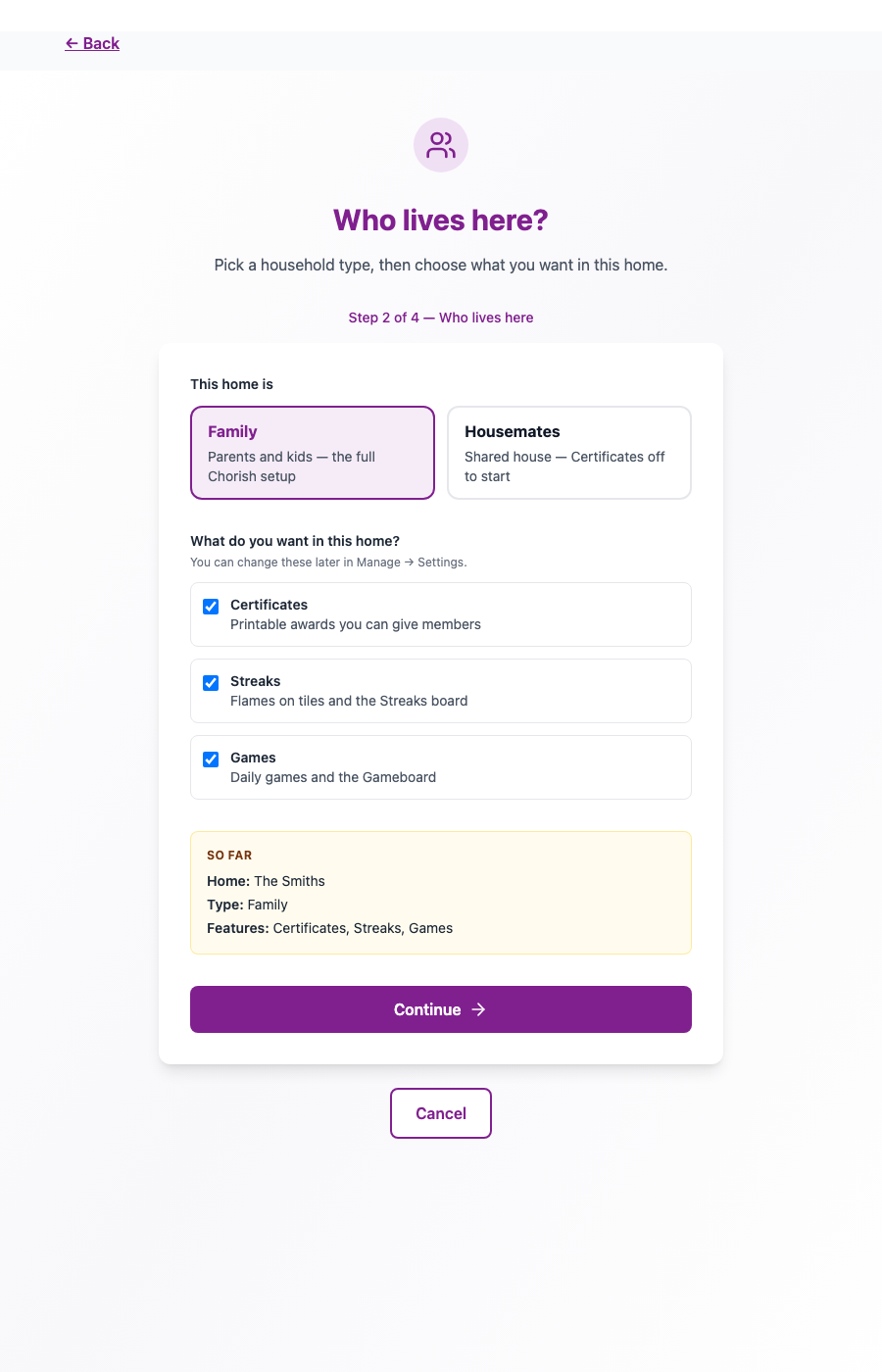
- Who lives here — Family or Housemates, plus whether you want Certificates, Streaks, and Games.
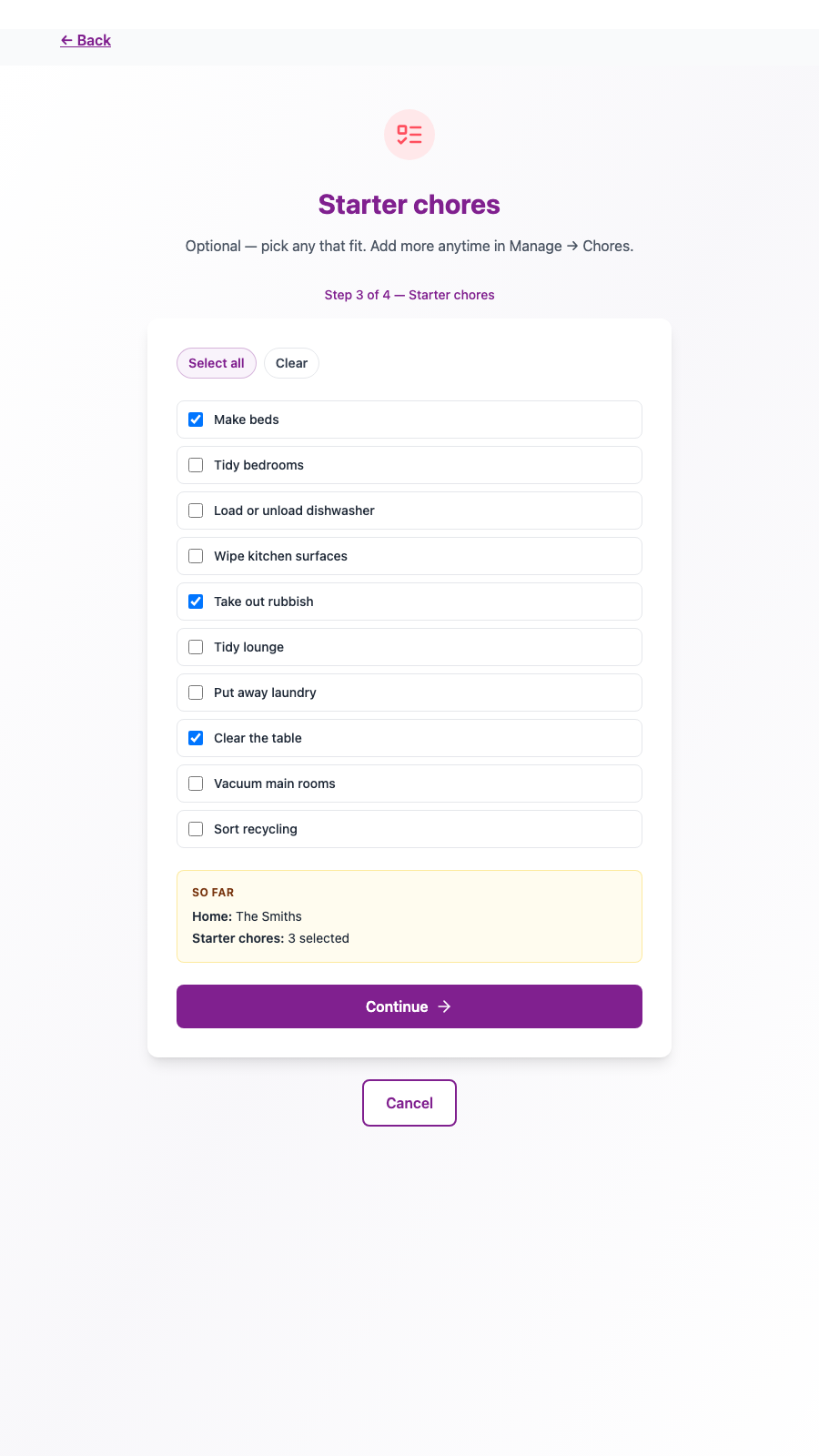
- Starter chores — optional ideas that fit kids-at-home or a shared flat. Leave them all unticked if you’d rather start blank.
- Members — you’re already on the list as owner; add anyone else who lives here.
Nothing becomes a live home until you finish. Leave halfway through and you haven’t left a half-built place behind.
Family vs housemates
Family starts with Certificates, Streaks, and Games on. Housemates keeps Streaks on, but starts with Certificates and Games off — useful when a shared flat wants flames and a Choreboard without awards or mini-games on day one. You can turn any of them on later in Manage → Settings.
If you switch Family ↔ Housemates after create, a few labels may change tone. It does not change what you’ve already turned on or off.
Certificates, Streaks, and Games
- Certificates — printable awards you give members (more here).
- Streaks — consecutive chore days, with a flame on the tile and medals on the Streaks board (more here).
- Games — a daily mini-game and the Gameboard when you want a break between chores.
Members, chores, notes, Choreboard, settings, and backup stay available either way.
Starter chores without a blank board
On the starter step you can tick a few ready-made titles — “Make beds” and “Clear the table” for families, “Wash dishes” and “Tidy shared bathroom” for flats. Select all, clear, or pick a handful. They’re ordinary chores with names only; you can add or edit more anytime in Manage → Chores.
A weekend that looks like setup
Picture two homes starting the same afternoon. One is a family kitchen tablet — they pick Family, leave Certificates, Streaks, and Games on, tick “Load or unload dishwasher” and “Take out rubbish,” and add two kids. The other is a shared flat — they pick Housemates, leave Certificates and Games off for now, grab a few shared-space starters, and add the housemates. Same setup, different defaults.
Later, if the flat wants printable certificates after all, Manage → Settings turns them back on without rebuilding the home. If the family wants a quieter week, they can hide Streaks the same way — the history stays until they clear it on purpose.
You’re ready
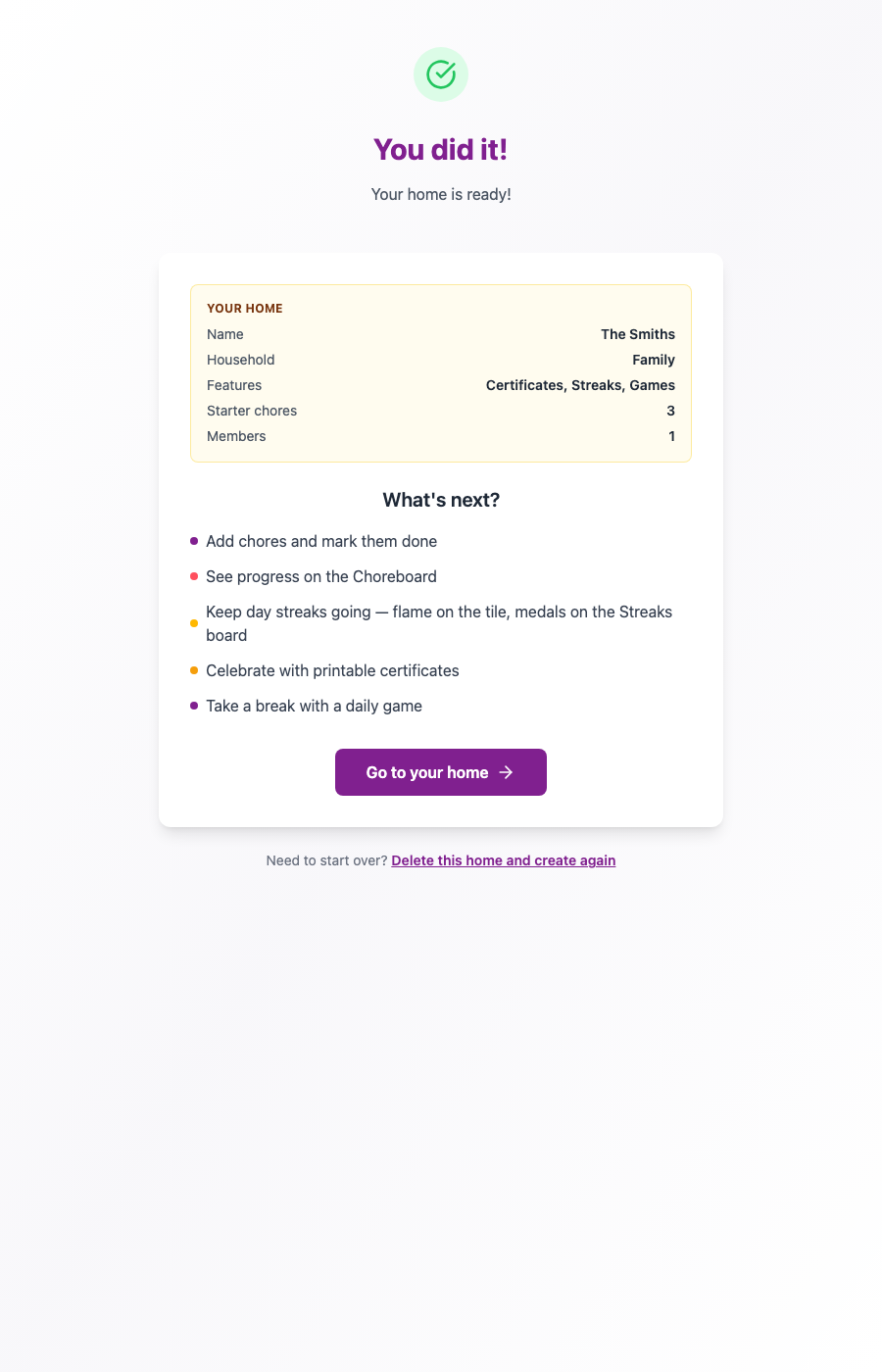
When you finish, Chorish shows a short recap — household type, what’s on, how many starters, how many people — and a few “you can now…” tips that match what you chose. Then open the dashboard and get going.
Already have a backup? The first step still has Import home — it skips the rest of setup and brings your exported home in.
Try it
Ready for a home that matches how you live? Open Chorish, tap Start a New Home, and walk through the setup. Questions about privacy, resets, or how many people fit? The FAQ has you covered.