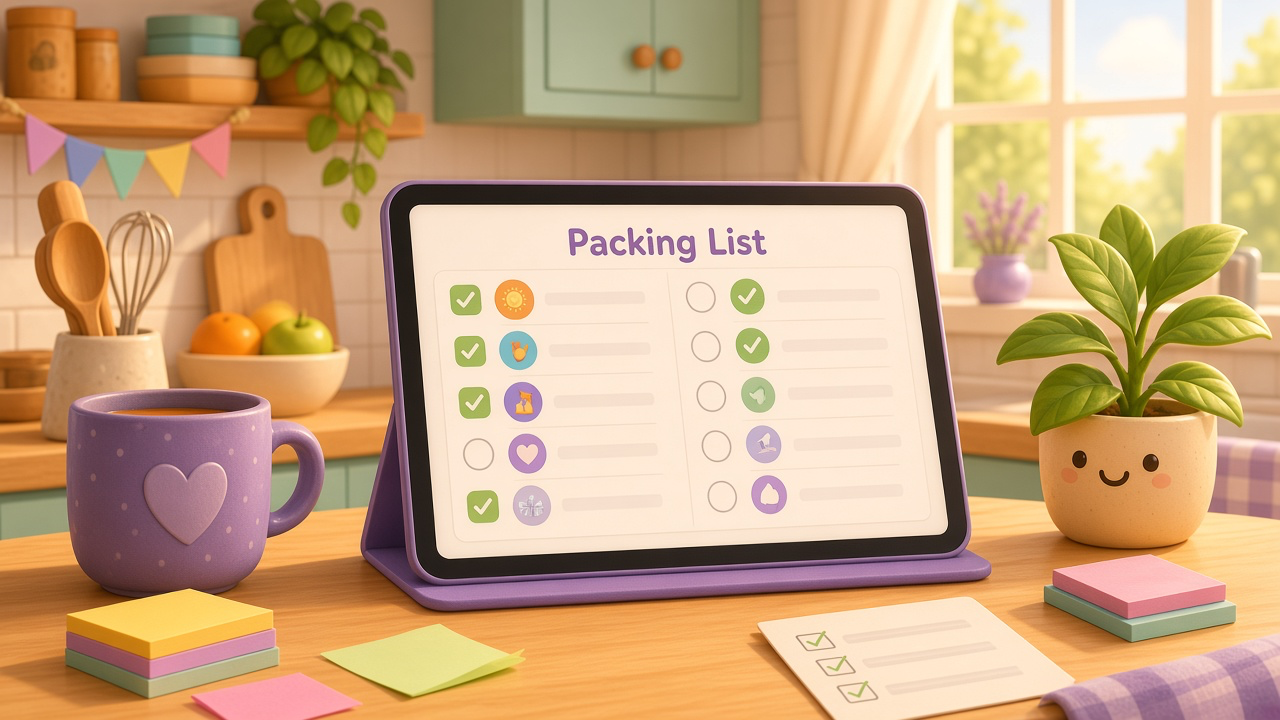
Board and Week are how you run the house every day — the shared chores that keep coming back. Some jobs don’t belong there: packing for a trip, getting ready for grandparents, camping kit, a one-off tidy before guests arrive.
That’s Lists in Chorish. Shared checklists that sit on the right of Board and Week, so packing and guest prep stay in sight without getting mixed into your usual chores. Still free, still no sign-up, still private in your browser.
Board, Week, and Lists
Lists don’t replace Board or Week. They sit beside them.
- Board — the busy day-to-day view: chore cards, people, notes, games, and streaks.
- Week — those same chores laid out like a wall chart, Monday to Sunday.
- Lists — separate shared checklists with their own items and optional due dates. The ones due soonest show first.
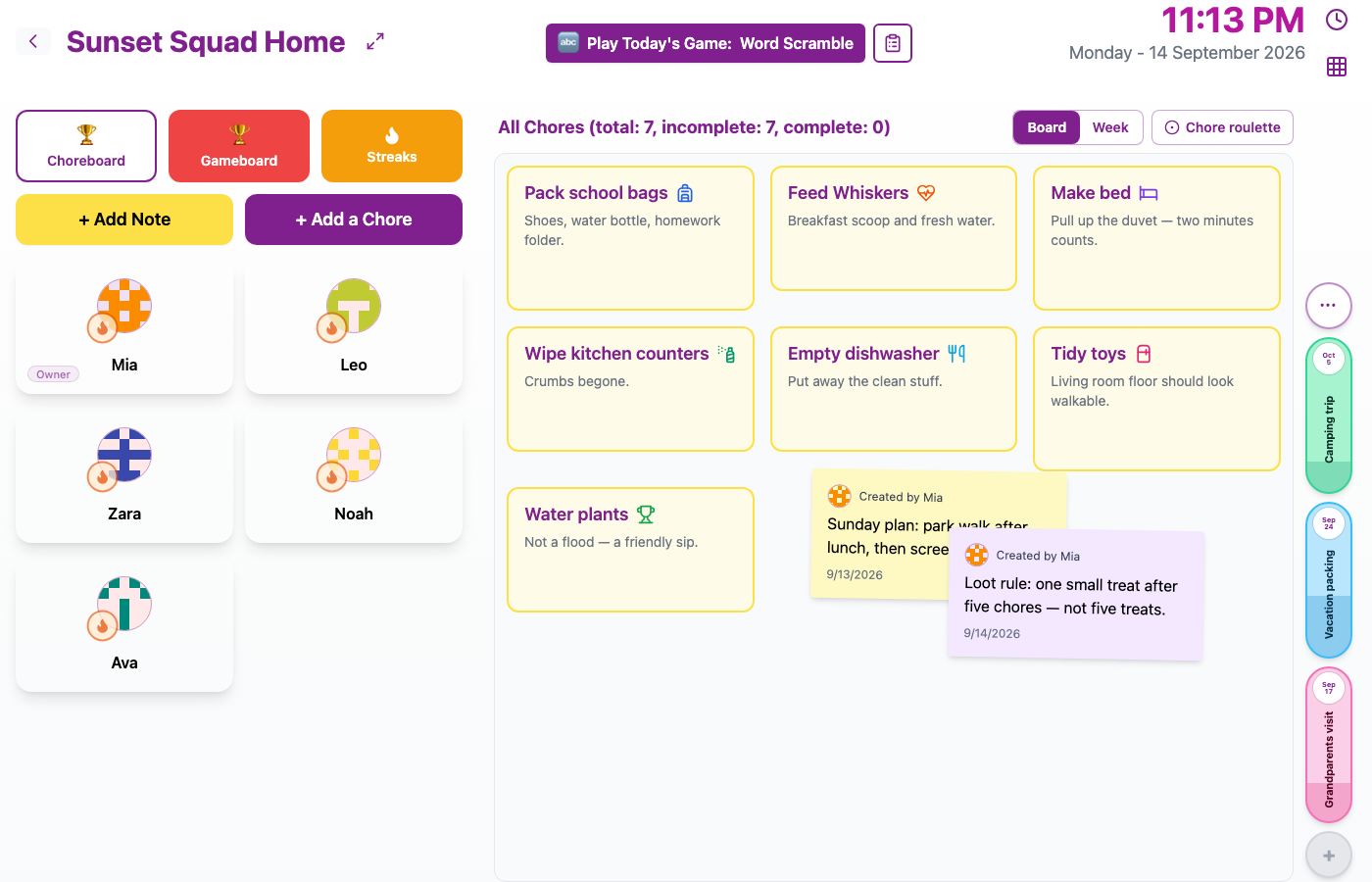
Lists sit on the right of your chores — with names, due dates when you’ve set them, and how far you’ve got.
They stay there on Week too, so you can glance at the Mon–Sun chart without losing the packing list.
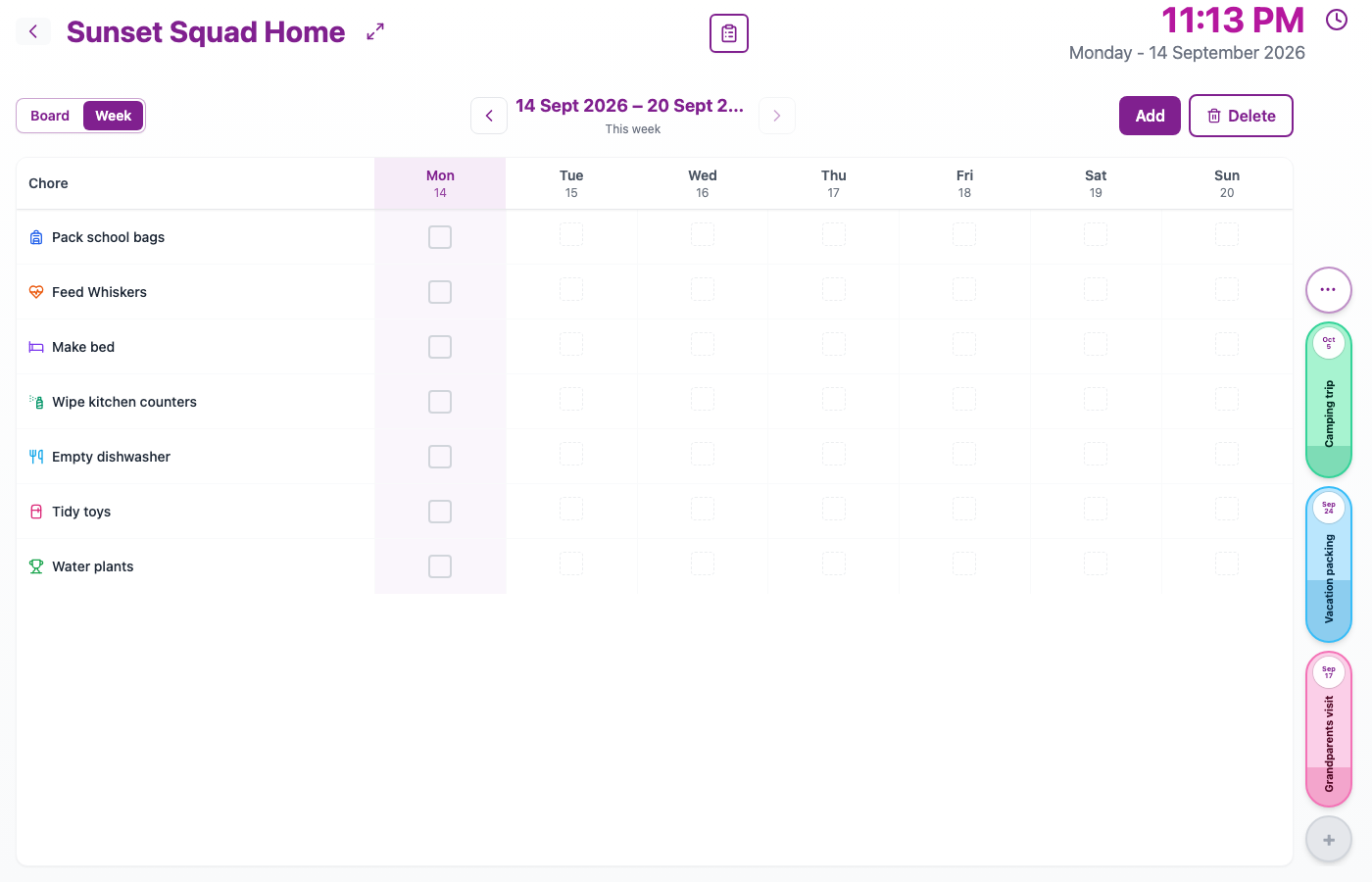
Flip to Week for the wall-chart feel — Lists are still on the right.
See every list at once
Tap ⋯ on the right to open a simple overview of all your lists: name, due date, and progress. Useful when you want to pick which one to open.
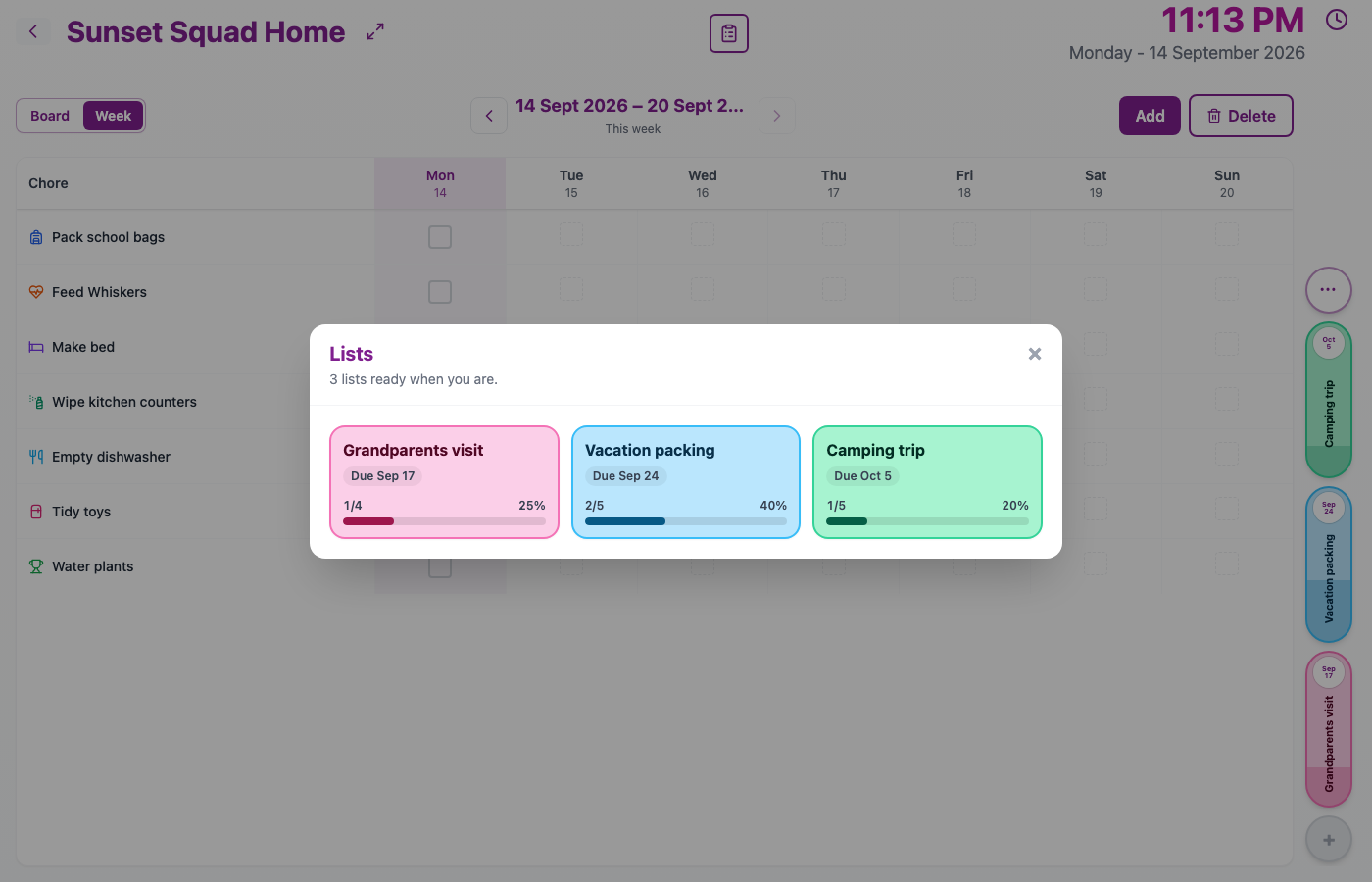
Three lists ready when you are — the ones due soonest sit first.
Open a list and tick things off
Tap a list to open the full checklist. Anyone in the home can add things, mark them done, or undo. When something’s done, Chorish asks who helped — the same household faces you already know from Board — and remembers when.
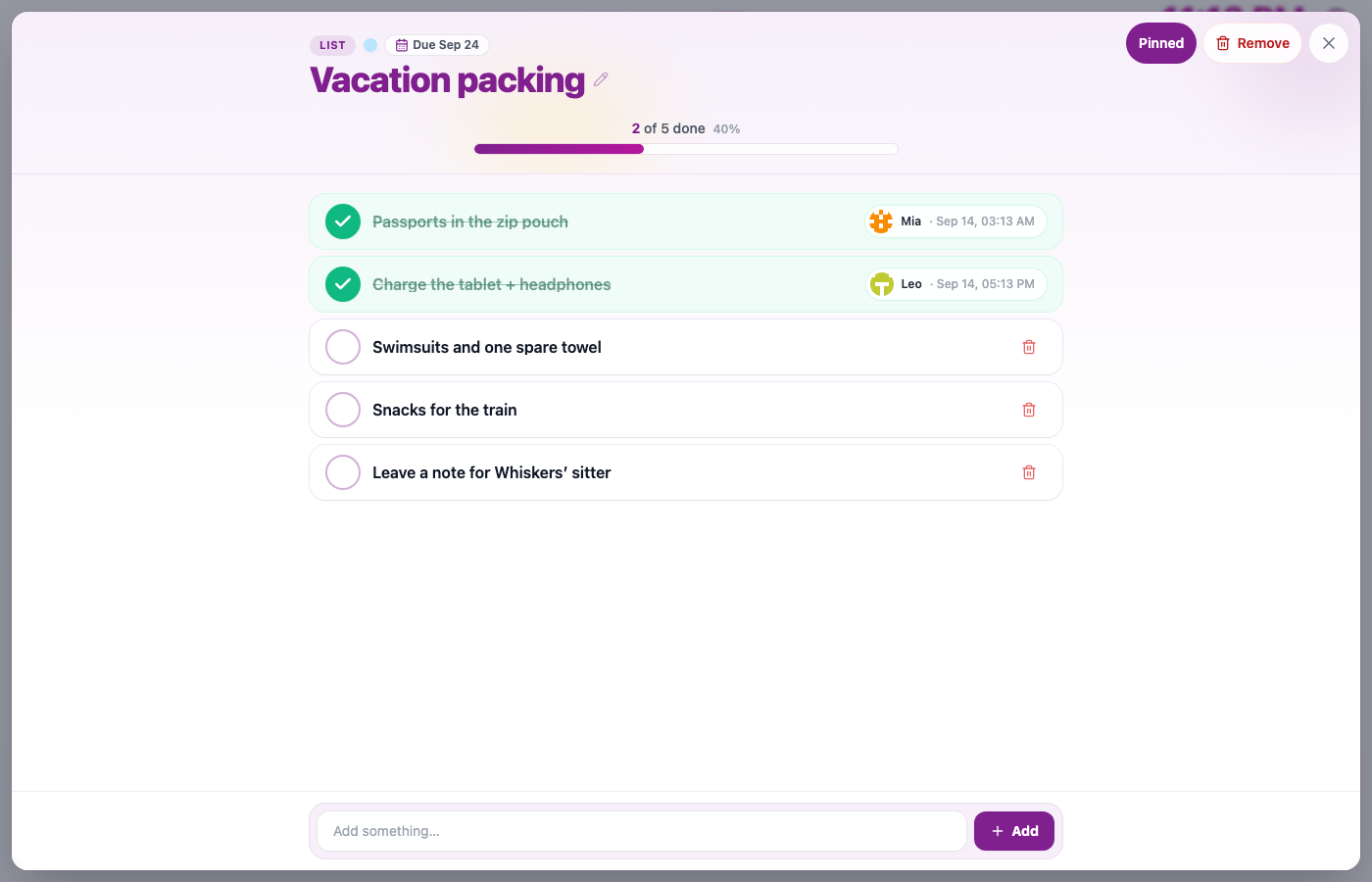
Mia and Leo already helped with packing. Swimsuits, snacks, and Whiskers’ sitter are still waiting.
Finished with a list? Remove it when you’re done. You can Bring back from Manage → Lists if you need it again.
Streaks stay about everyday chores
When someone ticks a list item, that does not count toward Streaks or the Choreboard. Those stay about the everyday chores that keep the house running. Lists are for the other stuff you need to tick off together.
When Lists shine
Picture a kitchen tablet the week before a holiday. Board is full of the usual dishwasher and school bags. Week shows who checked what. On the right you’ve got Vacation packing, Grandparents visit, and Camping trip — without stuffing “passports” into the shared chore list.
Flatmates get the same idea for a tidy-up before inspection or a weekend away. Start a list when you need it; remove it when you’re finished.
Still Chorish
Lists use the same home, the same faces, and the same “who helped?” step you already know. No account to create — open Chorish, look to the right of Board or Week, and start a list.
Try Lists
Open Chorish, go to your home, and look to the right of Board or Week. Tap + to start a list, or open one that’s already waiting. Want to see them all? Tap ⋯. Questions about privacy, homes, or how Lists work? The FAQ has you covered.